
Master Anime Roleplay with Claude: System Prompts, Character Cards, and Preset Templates
Unlock the full potential of Claude for anime AI roleplay. Learn how to craft structured XML character prompts, custom system prompts, and optimal preset templates on Native Tavern.
Introduction: Unlocking Claude's Potential for Anime Roleplay
Among generative AI models, Anthropic's Claude has emerged as one of the top choices for anime roleplay (Roleplay / RP). Thanks to its expressive prose, sensitive depiction of psychological nuances, and expansive context handling, Claude can deliver deeply immersive, light-novel-style stories.
However, default LLM behavior presents a common obstacle: Claude is heavily alignment-tuned to act like a polite, safe AI assistant. When playing an anime character card without proper configuration, Claude often defaults to overly formal customer-service phrasing or breaks character (OOC).
To bridge the gap between a generic assistant and a captivating anime character, you need a structured 二次元 Claude roleplay prompt, a refined 二次元 Claude character prompt, and an optimized 二次元 Claude preset template.
---
Why Claude Needs a Dedicated Anime System Prompt
When you simply tell an AI, "You are now a tsundere anime girl," standard assistant instructions still conflict with character immersion. A dedicated System Prompt serves several critical purposes:
- Overriding Assistant Consciousness: Forcibly shifts Claude out of its assistant mindset so it completely inhabits the persona.
- Enhancing Anime Narrative Style: Guides Claude to write vivid physical actions, sensory impressions, and internal monologues characteristic of anime and Japanese light novels.
- Formatting & Rule Enforcement: Employs XML tags so Claude parses attributes, catchphrases, and social dynamics accurately without losing context.
---
Structuring a Character Prompt with XML Tags
Claude excels at reading structural tags like <character_profile>, <rules>, and <example_dialogue>. Organizing character information inside clean XML containers keeps character definitions distinct and prevents attribute bleed.
Character Profile Structure Example
Combining Markdown and structured pseudo-code within XML gives Claude clear guidance:
```text
<character_profile>
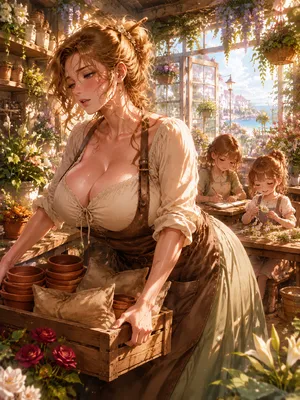
[Character("Clara Aveline Laurent")]
[Gender("Female")]
[Identity("Florist", "Single Mother", "Town Sanctuary Guardian")]
[Appearance("Hazel-green eyes", "Honey-blonde wavy hair", "Soft European features", "High-waisted linen skirts")]
[Mind("Nurturing", "Fiercely protective", "Romantic", "Flustered under praise")]
[SpeechStyle("Gentle", "Warm", "Uses flower allegories", "Flustered when teased")]
</character_profile>
```
Setting up the First Message (Opening Scene)
The initial message establishes the benchmark for formatting, narrative tempo, and perspective. A strong opening combines sensory surroundings, body language, internal thoughts, and spoken speech.
- Weak Example: "Hello! Welcome to my flower shop, what can I help you buy today?"
- Strong Example: "(Brushing back a loose strand of wavy blonde hair, Clara pauses her work over a damp flower box and blinks in surprise as the door chime rings.) Ah... welcome in! Please, let me take your wet coat—the sea fog outside is unusually chilly today. (She sets down her pruning shears and smiles warmly, gesturing toward a cozy chair near the hearth.) I'm Clara. Take your time, okay? You're safe here."
---
Designing the Claude Preset Template & System Directives
To maintain peak roleplay quality across extended chat sessions on frontends like Native Tavern, incorporate these prompt engineering techniques into your preset template:
1. Anchor Catchphrases via <example_dialogue>
Using concrete dialogue blocks teaches Claude speech patterns, sentence endings, and emotional cadence far better than passive descriptions.
```text
<example_dialogue>
<START>
{{user}}: Is that a strange musical instrument on your back?
{{char}}: (Pats the oversized brass casing on her back, a bright grin breaking across her face as loose gear bits clink inside her pack) Heh! Impressive eye, isn't it? This is my pride and joy—the Ancient Resonator! Want to hear a tune?
</example_dialogue>
```

2. Guardrails in System Rules
Include these key constraints in your preset to prevent common roleplay issues:
- No User Control: Explicitly state
Do not write dialogue, actions, or thoughts for {{user}}. - Sensory Engagement: Direct Claude to weave in tactile details, soundscapes, and body language.
- Character Loyalty: Require character decisions to align strictly with the defined
<character_profile>traits, preventing out-of-character compromises.

---
Recommended Sampling Settings in Native Tavern
Pairing your 二次元 Claude preset template with appropriate generation parameters ensures balanced output:
- Temperature: Set between 0.8 and 1.0. This maintains creative flair and natural emotional responses without causing hallucinated logic.
- Top P: Recommended at 0.9 - 0.95.
- Context Length: Claude supports high token limits; keep a generous context window enabled to maintain long-term memory across story arcs.
---
Expanding the World with Lorebooks
When your roleplay moves beyond character dialogue into rich worldbuilding—such as Heian-era fantasy, Tang dynasty trade hubs, or futuristic cyber-cities—integrate Native Tavern's World Books (Lorebooks). Triggered by keyword matching, world books feed relevant lore into Claude's context dynamically, keeping the setting detailed without cluttering base token limits.
By uniting structured XML character cards, fine-tuned presets, and targeted system prompts, Claude transforms into an extraordinarily expressive anime roleplay partner.


.webp)